
Performance Max Best Practices 2026: Setup, Asset Groups, and When to Avoid It
Why Most Performance Max Campaigns Underperform
Performance Max adoption jumped from 60% to 71% in a single year. Over 73% of Google Ads accounts now run at least one Performance Max campaign. And yet, a significant share of those campaigns are quietly leaving money on the table.
The problem isn’t the campaign type. It’s the setup.
Google’s Performance Max hands the algorithm three simultaneous decisions: which channel to serve on, which user to target, and how much to bid. Feed it clean inputs — tight conversion signals, themed creative, real audience data — and the algorithm has something meaningful to work with. Give it nothing, and it distributes your budget across Display placements that never convert while your Shopping ROAS quietly deteriorates.
This guide covers what actually drives PMax performance in 2026: how to structure your campaigns, how to build asset groups the right way, how to protect your branded traffic, and — critically — when Standard Shopping is the better option.
The core truth about PMax: It’s a prediction engine. It is only as accurate as the data you give it. Garbage in, garbage out applies here more than anywhere else in Google Ads.
Performance Max: Key Numbers for 2026
73% of Google Ads accounts run at least one PMax campaign
45% of Google Ads conversions are now attributed to PMax
20–35% ROAS lift for hybrid PMax + Standard Shopping vs. single-campaign
25–40% performance gap: manually produced video vs. auto-generated assets
Sources: Pixis 2025 Google Advertising Benchmarks — $996M in spend analysed · DataBidMachine hybrid strategy analysis · Digital Applied PMax Campaign Guide
What Is Performance Max? (Plain-English Definition)
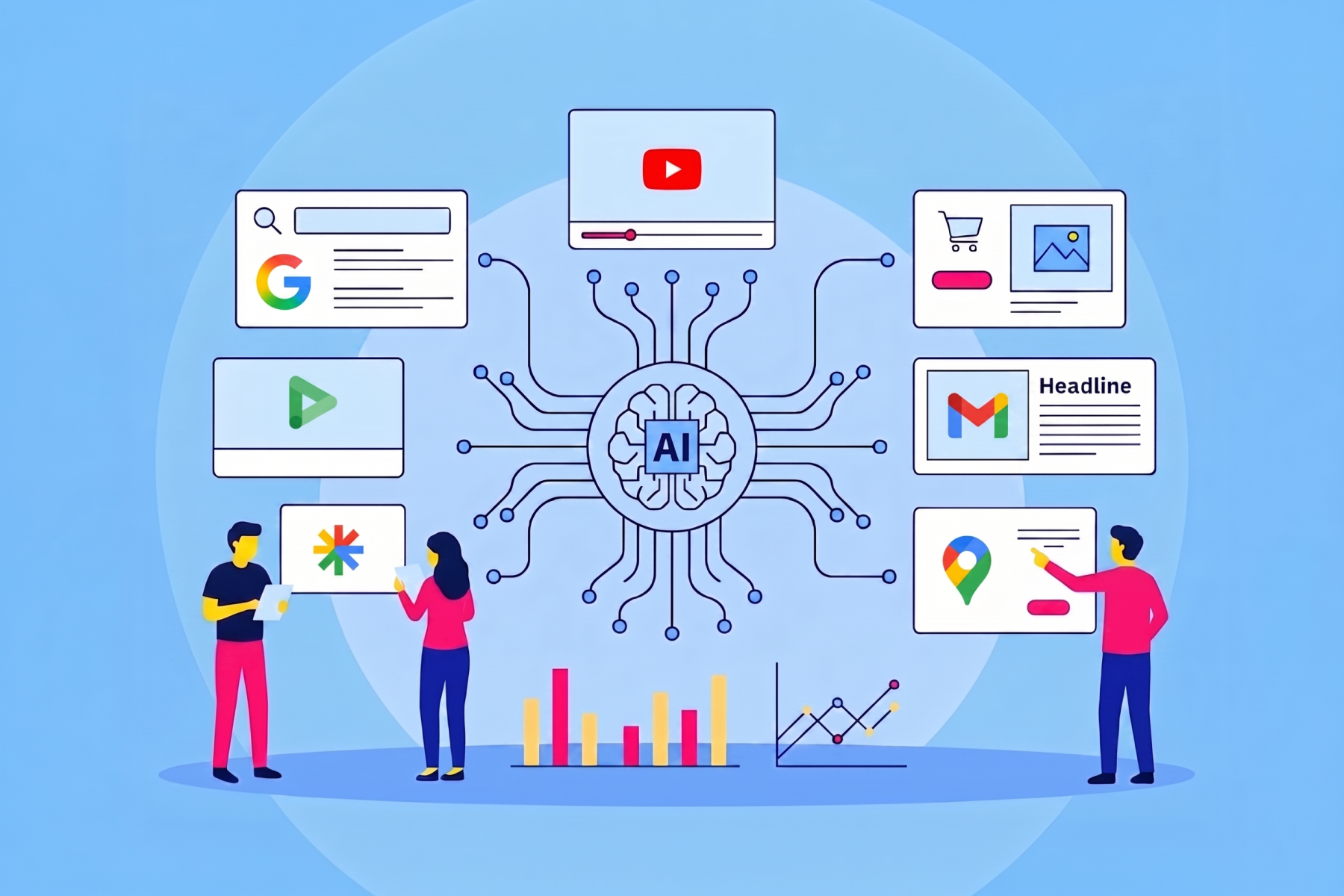
Performance Max is Google’s AI-powered, full-funnel campaign type that serves ads across Search, Shopping, Display, YouTube, Gmail, Discover, and Maps — all from a single campaign. Google’s algorithm handles bidding, placement, and audience targeting in real time.
It replaced Smart Shopping and Local campaigns in 2022 and has matured considerably since. By early 2026, PMax drives roughly 45% of all Google Ads conversions and comes with far more transparency than its early days. Key 2026 capabilities:
- Asset-level performance ratings: Low, Good, or Best per creative
- Full search terms reporting — now on par with Standard Shopping
- Built-in A/B testing for creative assets, available to all advertisers since January 2026
- Search themes — keyword-intent guidance without traditional keyword lists
- Channel breakdowns per asset group
What PMax is not: a campaign you configure once and ignore. You’re programming a system, and what you put in determines what you get out.
PMax Campaign Setup: The Decisions That Determine Everything
1. Fix Conversion Tracking Before You Touch Campaign Settings
This is the highest-leverage setup decision in Performance Max. PMax optimises toward whatever conversion event you define. If that signal is wrong or noisy, the campaign optimises in the wrong direction — no matter how well everything else is configured.
The correct setup sequence:
- One primary conversion goal — the action tied to real revenue. For ecommerce: a completed purchase. For services: a qualified phone call over 60 seconds or a booked consultation.
- Demote micro-conversions (page views, add-to-cart, form starts) to secondary actions. They inform; they must not drive bidding.
- Assign conversion values that reflect actual margin. Use conversion value rules to weight new customers differently from returning ones.
- For service or B2B businesses: implement offline conversion tracking. Without it, PMax optimises for form fill volume — not closed revenue. This is why PMax for lead gen fails so often without proper signal quality.
Learning period note: Accounts with 50+ conversions per month exit PMax’s learning phase significantly faster. The learning period typically runs 2–6 weeks. Avoid structural changes — new asset groups, bid strategy switches, large budget moves — during this window. They reset the clock.
2. Set Up Brand Exclusions Before Launch, Not After
PMax has no campaign-level negative keywords by default. Account-level negatives apply across all campaigns simultaneously — Search, Shopping, and Display — which makes brand protection more nuanced than in standard campaigns.
Standard setup:
- Run a dedicated branded Search campaign for your own brand terms — the case for branded campaigns is strong enough that this should be a permanent fixture in any account
- Exclude those branded terms at the account level to stop PMax cannibalising traffic that would have converted through Search at a lower cost
- If you have a Google rep, request campaign-level negative keywords directly — this avoids the account-level bleed problem entirely
Build your negative keyword list before launch. Categories to include from day one:
- Your own brand name and common misspellings
- Competitor brand terms you don’t want to bid against
- Informational prefixes: ‘how to,’ ‘what is,’ ‘definition of’
- Geographic terms outside your service area
- Adjacent product categories that don’t convert for your business
3. Bidding: Start Flexible, Add Constraints Once You Have Data
New PMax campaigns need room to gather signal. Start with Maximize Conversions without a ROAS target. Once you have 50+ conversions in a 30-day window, layer in Target ROAS. For seasonal promotions or new product launches, Maximize Conversion Value (no target) gives the algorithm flexibility without conversion volume constraints.
The one rule that matters most: do not make structural changes during the learning period. Switching bid strategies, adding asset groups, or sharply changing budgets in the first 2–4 weeks resets the learning window and delays performance.
4. Segment Campaigns by Goal, Not by Product
Mixing objectives inside a single PMax campaign creates conflicting signals. A practical structure for most accounts:
- Campaign 1 — New Customer Acquisition: cold audiences, optimised for first purchases or new leads
- Campaign 2 — Retargeting / Upsell: past visitors, cart abandoners, existing customers — optimised for repeat purchase or high-intent actions
- Campaign 3 — Brand (optional): branded asset groups ensuring Google surface coverage
Each campaign should have one audience universe and one optimisation goal. Cleaner inputs produce faster learning and better results.
How to Build PMax Asset Groups That Actually Work
What Is a PMax Asset Group?
An asset group is the creative foundation of a Performance Max campaign. Each group contains your headlines, descriptions, images, videos, logos, and audience signals. Google’s AI assembles these dynamically for every impression — choosing the best combination for that specific user, placement, and moment in real time.
The most common asset group mistake: one broad group with all assets dumped in, no audience signals, a generic landing page. This forces Google to serve identical creative to every user across every channel. According to Google’s own asset group best practices, segmented, themed groups consistently outperform this approach.
How to Organise Asset Groups
Organise asset groups the same way you’d organise ad groups in a traditional campaign: by coherent theme. Every asset in a group — the creative, the audience signal, the landing page — should tell the same story.
Practical models:
- By product category: Running shoes / hiking boots / accessories — separate groups, separate messaging, separate destination URLs
- By buyer persona: For B2B: marketing teams / sales teams / ops — each with copy matched to that user’s decision criteria
- By intent level: Prospecting groups with awareness messaging vs. retargeting groups with specific product offers and urgency
The practical test: if you wouldn’t be comfortable showing every asset in a group to every audience signal in that group, split it. Mismatched creative confuses the algorithm and pulls performance ratings down across the board.
Conversion threshold: Each asset group needs at least 20 conversions per month for meaningful optimisation. If a group falls below 5 conversions, merge it with a related group. Start with 1–2 asset groups and only add structure when conversion volume supports it.
Asset Requirements: Fill Every Slot
Google’s minimum per asset group: 15 headlines, 5 descriptions, one landscape image (1.91:1), one square image (1:1), one portrait image (4:5). In practice, maximise every available slot:
- Up to 15 headlines — write variations with genuinely different angles and value propositions, not minor rewording
- 5 descriptions — vary the benefit you lead with, not just the phrasing
- Up to 20 images across all three aspect ratios — more variety gives the algorithm more combinations to test across placements
- Up to 15 videos per asset group (limit expanded in January 2026) — include both 15-second and 30-second formats
Use Google’s Ad Strength indicator to check each group has enough assets before launch. Aim for ‘Excellent’ before going live.
Video: Don’t Let Google Auto-Generate It
If you don’t upload video, Google auto-generates one from your images and text. Manually produced videos outperform auto-generated ones by 25–40% based on internal testing data — a meaningful gap that compounds at scale.
A simple 15-second branded video — built in Google’s Asset Studio, Canva, or any basic production tool — outperforms the auto-generated version. Note: Google’s AI voiceover is now applied to PMax video assets by default in 2026. If you want audio brand control, upload your own video with your own voiceover.
If creative production capacity is limited, prioritise video above all other asset additions. The performance gap between video-enabled and non-video asset groups is the largest single creative improvement available in PMax.
Search Themes
Search themes let you give PMax keyword-intent guidance without traditional keyword targeting. They’re directional hints to the algorithm — not exact match triggers. Each asset group supports up to 25 search themes.
Best approach: derive them directly from your top-performing Search campaign keywords. If a term generates strong conversions in Search, a corresponding search theme signals that intent to PMax and accelerates the algorithm toward similar users.
Audience Signals
Audience signals don’t restrict who sees your ads. They give the algorithm a starting point — a training dataset, not a targeting fence — that accelerates its path to higher-quality users.
The most reliable signals, in order of strength:
- Customer match lists — upload existing buyer emails; Google identifies similar users. This is your strongest available signal.
- Website visitors — anyone who visited in the last 30–90 days
- Converters from other campaigns — people who’ve already taken a high-value action in your account
- In-market segments — Google’s curated audiences actively researching your product category
Avoid generic interest categories. As Pixis found across $996M in analysed spend, one strong customer match list from real buyers outperforms a dozen broad in-market audiences. Quality of signal matters more than quantity.
Asset Performance Ratings and Refresh Cadence
Google rates each asset as Low, Good, or Best relative to others in the same group. ‘Low’ doesn’t mean the asset is bad — it may simply be outperformed by others. The action rule: replace Low-rated assets after 4–6 weeks of data accumulation. Google recommends a minimum refresh cadence of every 3 months.
Since January 2026, PMax includes built-in A/B testing for creative assets — available to all advertisers across all campaign types. Run tests for at least 4 weeks to account for the learning phase. Test one variable at a time: product photography vs. lifestyle imagery, offer-led headline vs. benefit-led headline.
Feed-Only PMax: When Less Creative Is Strategically Better
For ecommerce accounts with a connected Google Merchant Center feed, PMax supports a feed-only configuration — minimal creative assets, Shopping-focused budget allocation.
This approach has genuine merit in early campaign stages. Adding full creative on day one often means Google distributes budget across Display and YouTube before Shopping performance is established. A sequence that consistently works:
- Run feed-only for the first 2–4 weeks to establish a Shopping baseline and get clean ROAS data
- Add images first, then video, once Shopping performance is stable
- Layer in full audience signals and additional creative once you have 30+ conversions per month
2026 caveat: Feed-only PMax is less predictable than it was. Some accounts see spend drift into YouTube and Display even without uploaded creative assets — particularly when no ROAS target is set. If you need a strict Shopping-only budget, Standard Shopping is more dependable.
When Not to Use Performance Max: 4 Situations Where It’s the Wrong Tool
1. Low Conversion Volume Accounts
PMax needs data to learn. The practical floor: 50 conversions per month across the account. For B2B companies or niche services generating 5–10 conversions monthly, PMax operates in near-permanent learning mode, making bid decisions without enough signal to do so accurately.
The typical result: budget migrates toward Display and YouTube where soft micro-conversions inflate apparent performance without driving real pipeline. For low-volume accounts, tightly controlled Search or Standard Shopping is more predictable while conversion data builds.
2. Lead Generation Without Offline Conversion Tracking
PMax for lead gen is notoriously unreliable without strong lead quality signals. The algorithm finds form fills — across Display, YouTube, and Discover — efficiently. The problem is it cannot distinguish a qualified buyer from someone who accidentally clicked a banner ad.
To make PMax viable for lead gen, you need either: (a) offline conversion tracking that imports CRM lead quality data back to Google so the algorithm optimises toward qualified leads specifically, or (b) a conversion goal tied to a deep-funnel action that correlates with revenue. Without one of these, PMax optimises for volume at the expense of quality — and that’s a structural problem, not a tuning issue.
3. Businesses That Require Channel-Specific Control
Some advertisers know from first-party data that Shopping and Search convert while Display and YouTube do not — for their specific product, margin profile, and purchase cycle. PMax will expand across channels regardless. The feed-only workaround provides partial control, but it isn’t absolute in 2026.
If you need zero tolerance for non-Shopping channel spend, Standard Shopping is more reliable. It is a high-intent, pull-based environment: when someone searches ‘waterproof hiking boots size 10,’ they’re ready to buy. That level of intent simply doesn’t exist in YouTube pre-roll or a Gmail banner.
4. New Accounts With Budgets Under ~$2,000/Month
When budget is constrained on a new account, concentrating spend on the highest-converting channel is the more defensible choice. Standard Shopping forces budget into Shopping — consistently the highest-converting channel for ecommerce — rather than distributing it across untested placements. Scale into PMax’s full channel mix once Shopping ROAS is established and conversion volume is sufficient to feed the algorithm.
PMax vs. Standard Shopping in 2026: Which Should You Use?
The competitive dynamic shifted significantly in October 2024 when Google stopped automatically prioritising PMax over Standard Shopping in auctions. Both campaign types now compete on ad rank — which means a well-optimised Standard Shopping campaign with strong product data can win impressions over a poorly-built PMax campaign. That change restored the viability of running both types simultaneously.
Choose PMax When:
- You want maximum reach across all Google channels and have the creative capacity to support it
- Conversion history is strong (50+ conversions/month) and tracking is clean
- You’re launching new products and want Google’s AI to discover demand signals you don’t yet have
- Budget allows for some channel experimentation without threatening core ROAS targets
Choose Standard Shopping When:
- Zero tolerance for non-Shopping channel spend — the feed-only PMax workaround isn’t reliable enough in 2026
- Conversion volume is low and you need predictable, controlled spend
- You need granular product-level bid control that PMax doesn’t expose
- New account, tight budget — concentrate spend where it converts first
The Hybrid Approach: What High-Performing Accounts Actually Do
Advertisers running multi-campaign architectures outperform single-campaign setups by 20–35% on ROAS — but this requires deliberate product segmentation. A common structure that works:
- Standard Shopping for proven best-sellers and product segments with established ROAS
- PMax for new product discovery, upper-funnel reach, and audiences not yet covered by Shopping
Critical rule when running both: segment products so both campaigns aren’t competing for the same inventory. Use listing group exclusions to keep them in separate lanes. Without this, you create internal competition that inflates CPCs without lifting volume.
What About Reporting Transparency?
The transparency gap that once made Standard Shopping the obvious choice for data-driven accounts has largely closed. PMax now provides the same search terms visibility as Standard Shopping, plus asset-level performance ratings and channel breakdowns per asset group. The ‘black box’ criticism that defined PMax’s first two years is substantially less accurate in 2026.
Frequently Asked Questions About Performance Max
How long is the Performance Max learning period?
Typically 2–6 weeks, depending on conversion volume. Accounts generating 50+ conversions per month move through it faster. Do not make structural changes — new asset groups, bid strategy switches, or large budget adjustments — during this window. They reset the learning clock and delay performance.
Can I run PMax and Standard Shopping at the same time?
Yes, and it’s often the right approach. Since October 2024, both campaign types compete on ad rank rather than PMax having automatic priority. The prerequisite: segment which products each campaign targets using listing group exclusions to prevent them from bidding against each other.
Does Performance Max replace Search campaigns?
No. PMax is designed to complement Search, not replace it. Google’s own Power Pack framework announced at Google Marketing Live 2025 treats PMax, Demand Gen, and AI Max for Search as distinct, complementary campaign types — each covering a different part of the funnel.
What if I don’t have video assets for PMax?
Google auto-generates a video from your images, logos, and text. These auto-generated assets underperform manually produced video by 25–40%. If creative production is constrained, Google’s Asset Studio now uses Imagen 4 and Veo to generate brand-aligned creative directly inside the Google Ads platform. Even a 15-second AI-assisted video is meaningfully better than auto-generation.
How many asset groups should I start with?
1–2. More asset groups means more budget fragmentation and slower learning per group. Each group needs at least 20 conversions per month for effective optimisation. Start focused and add structure only when conversion volume supports it.
Is Performance Max right for B2B?
Not without offline conversion tracking. PMax for B2B without lead quality signals optimises for form fill volume — which produces low-quality leads at scale. If you can pass CRM pipeline data back to Google via offline conversion imports, PMax becomes viable. Without that, a tightly managed Search campaign is more predictable for most B2B accounts.
What is a PMax asset group?
An asset group is the creative unit inside a Performance Max campaign. It contains your headlines, descriptions, images, videos, logos, and audience signals. Google’s AI dynamically assembles these into ads for each impression across every channel PMax serves. Unlike ad groups in Search or Shopping campaigns, asset groups contain both the creative and the targeting direction (via audience signals and search themes) in a single unit.
PMax Setup Checklist for 2026
Before launching — or auditing — a Performance Max campaign, confirm each of the following is in place:
- Conversion tracking is clean — one primary goal tied to real revenue, micro-conversions demoted to secondary
- Offline conversion tracking is set up for service/B2B accounts
- Brand exclusions are live — account-level negatives in place, branded Search campaign running separately
- Asset groups are themed — matched creative, audience signals, and landing pages per group
- Video is manually produced — at minimum a 15-second branded video per asset group
- Search themes are configured — derived from top-performing Search campaign keywords
- Negative keyword list is built before go-live, not after
- Learning period is respected — no structural changes in the first 2–4 weeks
- If running alongside Standard Shopping: products are segmented via listing group exclusions to prevent cannibalisation
Not Sure Your PMax Setup Is Working?
Most Performance Max issues aren’t obvious from inside the campaign — they show up as stalled ROAS, slow exits from the learning phase, or budget migrating to channels that don’t convert. A structured Google Ads account audit identifies exactly what’s off and what’s fixable.
Black Propeller manages paid search for brands that care about performance, not just activity. If your PMax campaigns are running but results are unclear, book a free strategy call and we’ll take a look at your account structure with no obligation.